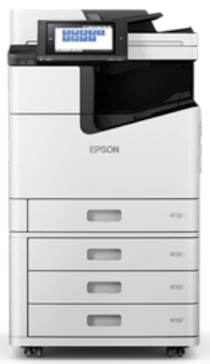
Epson WorkForce Enterprise Software e driver per la stampante WF-C20590 Windows e macOS.
Sistemi operativi Microsoft Windows supportati
Windows 11
Windows 10 (32/64-bit)
Windows 8.1 (32/64-bit)
Windows 8 (32/64-bit)
Windows 7 (32 /64-bit)
Windows Vista (32 /64-bit)
Windows XP (32/64-bit)
Sistemi operativi supportati: Windows 11, Windows 10 32-bit e 64-bit, Windows 8.1 32-bit e 64-bit, Windows 8 32-bit e 64-bit, Windows 7 32-bit e 64-bit, Windows Vista 32-bit e 64-bit
Il programma di installazione del pacchetto driver contiene i seguenti elementi:
- Driver della stampante
- Driver dello scanner e Epson Scan 2 Utilità
- Document Capture Pro
- Componente OCR Epson Scan
- Utilità Epson FAX
- Aggiornamento software Epson
Sistemi operativi supportati: Windows XP 32-bit and 64-bit
Il programma di installazione del pacchetto driver contiene i seguenti elementi:
- Driver della stampante
- Driver dello scanner e Epson Scan 2 Utilità
- Document Capture Pro
- Componente OCR Epson Scan
- Utilità Epson FAX
- Aggiornamento software Epson
Sistemi operativi supportati: Windows 10 32-bit, Windows 8.1 32-bit, Windows 8 32-bit, Windows 7 32-bit, Windows Vista 32-bit, Windows XP 32-bit
Sistemi operativi supportati: Windows 11, Windows 10 64-bit, Windows 8.1 64-bit, Windows 8 64-bit, Windows 7 64-bit, Windows Vista 64-bit, Windows XP 64-bit
Sistemi operativi supportati: Windows 10 32-bit, Windows 8.1 32-bit, Windows 8 32-bit, Windows 7 32-bit, Windows Vista 32-bit, Windows XP 32-bit
Sistemi operativi supportati: Windows 11, Windows 10 64-bit, Windows 8.1 64-bit, Windows 8 64-bit, Windows 7 64-bit, Windows Vista 64-bit, Windows XP 64-bit
Sistemi operativi supportati: Windows 11, Windows 10 32-bit and 64-bit, Windows 8.1 32-bit and 64-bit, Windows 8 32-bit and 64-bit, Windows 7 32-bit and 64-bit, Windows Vista 32-bit and 64-bit, Windows XP 32-bit and 64-bit
Sistemi operativi supportati: Windows 10 32-bit, Windows 8.1 32-bit, Windows 8 32-bit, Windows 7 32-bit, Windows Vista 32-bit, Windows XP 32-bit
Sistemi operativi supportati: Windows 11, Windows 10 64-bit, Windows 8.1 64-bit, Windows 8 64-bit, Windows 7 64-bit, Windows Vista 64-bit, Windows XP 64-bit
Sistemi operativi supportati: Windows 10 32-bit, Windows 8.1 32-bit, Windows 8 32-bit, Windows 7 32-bit, Windows Vista 32-bit, Windows XP 32-bit
Sistemi operativi supportati: Windows 11, Windows 10 64-bit, Windows 8.1 64-bit, Windows 8 64-bit, Windows 7 64-bit, Windows Vista 64-bit, Windows XP 64-bit
Sistemi operativi supportati: Windows 11, Windows 10 64-bit, Windows 8.1 64-bit, Windows 8 64-bit, Windows 7 64-bit, Windows Vista 64-bit, Windows XP 64-bit
Sistemi operativi supportati: Windows 10 32-bit, Windows 8.1 32-bit, Windows 8 32-bit, Windows 7 32-bit, Windows Vista 32-bit, Windows XP 32-bit
Sistemi operativi supportati: Windows 10 64-bit, Windows 8.1 64-bit, Windows 8 64-bit, Windows 7 64-bit, Windows Vista 64-bit, Windows XP 64-bit
Sistemi operativi supportati: Windows 10 32-bit, Windows 8.1 32-bit, Windows 8 32-bit, Windows 7 32-bit, Windows Vista 32-bit, Windows XP 32-bit
Sistemi operativi supportati: Windows 10 64-bit, Windows 8.1 64-bit, Windows 8 64-bit, Windows 7 64-bit, Windows Vista 64-bit, Windows XP 64-bit
Sistemi operativi supportati: Windows 11, Windows 10 32-bit and 64-bit, Windows 8.1 32-bit and 64-bit, Windows 8 32-bit and 64-bit, Windows 7 32-bit and 64-bit, Windows Vista 32-bit and 64-bit, Windows XP 32-bit and 64-bit
Sistemi operativi macOS supportati
macOS Ventura 13
macOS Monterey 12
macOS Big Sur 11
macOS Catalina 10.15
macOS Mojave 10.14
macOS High Sierra 10.13
macOS Sierra 10.12
OS X El Capitan 10.11
OS X Yosemite 10.10
OS X Mavericks 10.9
OS X Mountain Lion 10.8
Mac OS X Lion 10.7
Mac OS X Snow Leopard 10.6
Mac OS X Leopard 10.5
Sistemi operativi supportati: macOS Catalina 10.15, macOS Big Sur 11, macOS Monterey 12, macOS Ventura 13
Il programma di installazione del pacchetto driver contiene i seguenti elementi:
- Driver della stampante
- Driver dello scanner e Epson Scan 2 Utilità
- Cattura del documento
- Epson Event Manager
- Utilità Epson FAX
- Epson Scan 2 Componente OCR
- Aggiornamento software Epson
Sistemi operativi supportati: Mac OS X Lion 10.7, OS X Mountain Lion 10.8, OS X Mavericks 10.9, OS X Yosemite 10.10, OS X El Capitan 10.11, macOS Sierra 10.12, macOS High Sierra 10.13, macOS Mojave 10.14
Il programma di installazione del pacchetto driver contiene i seguenti elementi:
- Driver della stampante
- Driver dello scanner e Epson Scan 2 Utilità
- Cattura del documento
- Epson Event Manager
- Utilità Epson FAX
- Epson Scan 2 Componente OCR
- Aggiornamento software Epson
Sistemi operativi supportati: Mac OS X Snow Leopard 10.6, Mac OS X Lion 10.7, OS X Mountain Lion 10.8, OS X Mavericks 10.9, OS X Yosemite 10.10, OS X El Capitan 10.11, macOS Sierra 10.12, macOS High Sierra 10.13, macOS Mojave 10.14, macOS Catalina 10.15, macOS Big Sur 11, macOS Monterey 12, macOS Ventura 13
Sistemi operativi supportati: Mac OS X Snow Leopard 10.6, Mac OS X Lion 10.7, OS X Mountain Lion 10.8, OS X Mavericks 10.9, OS X Yosemite 10.10, OS X El Capitan 10.11, macOS Sierra 10.12, macOS High Sierra 10.13, macOS Mojave 10.14, macOS Catalina 10.15, macOS Big Sur 11, macOS Monterey 12, macOS Ventura 13
Sistemi operativi supportati: Mac OS X Snow Leopard 10.6, Mac OS X Lion 10.7, OS X Mountain Lion 10.8, OS X Mavericks 10.9, OS X Yosemite 10.10, OS X El Capitan 10.11, macOS Sierra 10.12, macOS High Sierra 10.13, macOS Mojave 10.14, macOS Catalina 10.15, macOS Big Sur 11, macOS Monterey 12, macOS Ventura 13
Sistemi operativi supportati: Mac OS X Snow Leopard 10.6, Mac OS X Lion 10.7, OS X Mountain Lion 10.8, OS X Mavericks 10.9, OS X Yosemite 10.10, OS X El Capitan 10.11, macOS Sierra 10.12, macOS High Sierra 10.13, macOS Mojave 10.14, macOS Catalina 10.15, macOS Big Sur 11, macOS Monterey 12
Epson WorkForce Enterprise Specifiche del modello WF-C20590
di Epson WorkForce La stampante Enterprise WF-C20590, dotata dell'esclusiva tecnologia PrecisionCore di Epson, garantisce stampe di qualità superiore mantenendo l'efficienza dell'ufficio. Offre una stampa robusta e affidabile, con un ciclo di lavoro mensile fino a 200,000 pagine, garantendo prestazioni elevate anche in condizioni di utilizzo gravose.
Questa stampante offre inizialmente agli utenti un'esperienza di facile utilizzo su un'interfaccia PC. I suoi controlli funzionali assumono la forma di uno schermo touch-panel, semplificando l'ampia varietà di funzionalità per l'utilizzo di questo dispositivo. Il vantaggio della stampa mobile è che non fa quasi alcuna differenza rispetto al dispositivo utilizzato. Come bonus speciale per i responsabili IT, questo modello si interfaccia perfettamente con i sistemi di rete esistenti perché supporta varie piattaforme software. Pertanto, questa stampante dovrebbe adattarsi a qualsiasi rete aziendale con la stessa facilità con cui si prendono le caramelle da un bambino.
In termini di materiali di consumo, il Epson WorkForce Enterprise La WF-C20590 è progettata per farti risparmiare denaro nel tempo. Sebbene il costo iniziale possa sembrare elevato per alcuni, è possibile valutare il costo dell'inchiostro per pagina in relazione al proprio budget. Un serbatoio d'inchiostro di grande capacità implica sostituzioni meno frequenti e maggiori risparmi complessivi. La WF-C20590 si difende bene rispetto alla concorrenza. Tuttavia, il prezzo iniziale potrebbe apparire più alto e, rispetto ad altri modelli, chi ha un'attività che punta alla produzione di grandi volumi non può rinunciare a stampe di alta qualità abbastanza velocemente, proprio per via del costo. Da questo punto di vista, sembra una scelta logica che garantisce un significativo risparmio sui costi nel tempo.