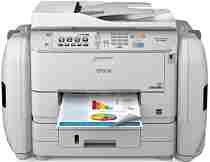
Epson WorkForce Pro WF-R5690 Software e driver per stampanti Windows e macOS.
Sistemi operativi Microsoft Windows supportati
Windows 11
Windows 10 (32/64-bit)
Windows 8.1 (32/64-bit)
Windows 8 (32/64-bit)
Windows 7 (32 /64-bit)
Windows Vista (32 /64-bit)
Windows XP (32/64-bit)
Sistemi operativi supportati: Windows 11, Windows 10 32-bit e 64-bit, Windows 8.1 32-bit e 64-bit, Windows 8 32-bit e 64-bit, Windows 7 32-bit e 64-bit, Windows Vista 32-bit e 64-bit
Il programma di installazione del pacchetto driver contiene i seguenti elementi:
- Driver della stampante
- Driver dello scanner e EPSON Scan Utility
- Document Capture Pro
- Componente OCR di EPSON Scan
- Utilità Epson FAX
- Aggiornamento software Epson
Sistemi operativi supportati: Windows XP 32-bit and 64-bit
Il programma di installazione del pacchetto driver contiene i seguenti elementi:
- Driver della stampante
- Driver dello scanner e EPSON Scan Utility
- Document Capture Pro
- Componente OCR di EPSON Scan
- Utilità Epson FAX
- Aggiornamento software Epson
Sistemi operativi supportati: Windows 11, Windows 10 32-bit and 64-bit, Windows 8.1 32-bit and 64-bit, Windows 8 32-bit and 64-bit, Windows 7 32-bit and 64-bit, Windows Vista 32-bit and 64-bit, Windows XP 32-bit and 64-bit
Sistemi operativi supportati: Windows 11, Windows 10 32-bit and 64-bit, Windows 8.1 32-bit and 64-bit, Windows 8 32-bit and 64-bit, Windows 7 32-bit and 64-bit, Windows Vista 32-bit and 64-bit, Windows XP 32-bit and 64-bit
Sistemi operativi supportati: Windows 11, Windows 10 32-bit and 64-bit, Windows 8.1 32-bit and 64-bit, Windows 8 32-bit and 64-bit, Windows 7 32-bit and 64-bit, Windows Vista 32-bit and 64-bit, Windows XP 32-bit and 64-bit
Sistemi operativi supportati: Windows 10 32-bit, Windows 8.1 32-bit, Windows 8 32-bit, Windows 7 32-bit, Windows Vista 32-bit, Windows XP 32-bit
Sistemi operativi supportati: Windows 11, Windows 10 64-bit, Windows 8.1 64-bit, Windows 8 64-bit, Windows 7 64-bit, Windows Vista 64-bit, Windows XP 64-bit
Sistemi operativi supportati: Windows 10 32-bit, Windows 8.1 32-bit, Windows 8 32-bit, Windows 7 32-bit, Windows Vista 32-bit, Windows XP 32-bit
Sistemi operativi supportati: Windows 11, Windows 10 64-bit, Windows 8.1 64-bit, Windows 8 64-bit, Windows 7 64-bit, Windows Vista 64-bit, Windows XP 64-bit
Sistemi operativi supportati: Windows 11, Windows 10 64-bit, Windows 8.1 64-bit, Windows 8 64-bit, Windows 7 64-bit, Windows Vista 64-bit, Windows XP 64-bit
Sistemi operativi supportati: Windows 10 32-bit, Windows 8.1 32-bit, Windows 8 32-bit, Windows 7 32-bit, Windows Vista 32-bit, Windows XP 32-bit
Sistemi operativi supportati: Windows 10 64-bit, Windows 8.1 64-bit, Windows 8 64-bit, Windows 7 64-bit, Windows Vista 64-bit, Windows XP 64-bit
Sistemi operativi supportati: Windows 10 32-bit, Windows 8.1 32-bit, Windows 8 32-bit, Windows 7 32-bit, Windows Vista 32-bit, Windows XP 32-bit
Sistemi operativi supportati: Windows 10 64-bit, Windows 8.1 64-bit, Windows 8 64-bit, Windows 7 64-bit, Windows Vista 64-bit, Windows XP 64-bit
Sistemi operativi macOS supportati
macOS Ventura 13
macOS Monterey 12
macOS Big Sur 11
macOS Catalina 10.15
macOS Mojave 10.14
macOS High Sierra 10.13
macOS Sierra 10.12
OS X El Capitan 10.11
OS X Yosemite 10.10
OS X Mavericks 10.9
OS X Mountain Lion 10.8
Mac OS X Lion 10.7
Mac OS X Snow Leopard 10.6
Mac OS X Leopard 10.5
Sistemi operativi supportati: macOS Catalina 10.15, macOS Big Sur 11, macOS Monterey 12, macOS Ventura 13
Il programma di installazione del pacchetto driver contiene i seguenti elementi:
- Driver della stampante
- Driver dello scanner e Epson Scan 2 Utilità
- Cattura del documento
- Utilità Epson FAX
- Epson Scan 2 Componente OCR
- Aggiornamento software Epson
Sistemi operativi supportati: Mac OS X Lion 10.7, OS X Mountain Lion 10.8, OS X Mavericks 10.9, OS X Yosemite 10.10, OS X El Capitan 10.11, macOS Sierra 10.12, macOS High Sierra 10.13, macOS Mojave 10.14
Il programma di installazione del pacchetto driver contiene i seguenti elementi:
- Driver della stampante
- Driver dello scanner e Epson Scan 2 Utilità
- Cattura del documento
- Utilità Epson FAX
- Epson Scan 2 Componente OCR
- Aggiornamento software Epson
Sistemi operativi supportati: macOS Catalina 10.15, macOS Big Sur 11, macOS Monterey 12, macOS Ventura 13
Sistemi operativi supportati: Mac OS X Snow Leopard 10.6, Mac OS X Lion 10.7, OS X Mountain Lion 10.8, OS X Mavericks 10.9, OS X Yosemite 10.10, OS X El Capitan 10.11, macOS Sierra 10.12, macOS High Sierra 10.13, macOS Mojave 10.14
Sistemi operativi supportati: Mac OS X Snow Leopard 10.6, Mac OS X Lion 10.7, OS X Mountain Lion 10.8, OS X Mavericks 10.9, OS X Yosemite 10.10, OS X El Capitan 10.11, macOS Sierra 10.12, macOS High Sierra 10.13, macOS Mojave 10.14, macOS Catalina 10.15, macOS Big Sur 11, macOS Monterey 12, macOS Ventura 13
Sistemi operativi supportati: Mac OS X Leopard 10.5, Mac OS X Snow Leopard 10.6, Mac OS X Lion 10.7, OS X Mountain Lion 10.8, OS X Mavericks 10.9, OS X Yosemite 10.10, OS X El Capitan 10.11, macOS Sierra 10.12, macOS High Sierra 10.13, macOS Mojave 10.14, macOS Catalina 10.15, macOS Big Sur 11, macOS Monterey 12, macOS Ventura 13
Sistemi operativi supportati: Mac OS X Snow Leopard 10.6, Mac OS X Lion 10.7, OS X Mountain Lion 10.8, OS X Mavericks 10.9, OS X Yosemite 10.10, OS X El Capitan 10.11, macOS Sierra 10.12, macOS High Sierra 10.13, macOS Mojave 10.14, macOS Catalina 10.15, macOS Big Sur 11, macOS Monterey 12
Sistemi operativi supportati: Mac OS X Snow Leopard 10.6, Mac OS X Lion 10.7, OS X Mountain Lion 10.8, OS X Mavericks 10.9, OS X Yosemite 10.10, OS X El Capitan 10.11, macOS Sierra 10.12, macOS High Sierra 10.13, macOS Mojave 10.14, macOS Catalina 10.15, macOS Big Sur 11, macOS Monterey 12
Epson WorkForce Pro WF-R5690 Specifiche
Migliori Epson WorkForce Pro WF-R5690 È stata progettata per l'utilizzo in ambienti di lavoro dinamici e frenetici. Le cartucce d'inchiostro sono state sostituite dalla tecnologia EcoTank: serbatoi d'inchiostro ricaricabili che consentono un risparmio a lungo termine. Un ufficio che desidera risparmiare sull'inchiostro può trarre vantaggio da questo miglioramento. Questa stampante offre una resa equivalente a circa 50,000 pagine, dopodiché è necessario ricaricarla. In questo modo si riducono i problemi e si stampa di più prima di doverla ricaricare, consentendo al vostro ufficio di lavorare senza dover cambiare continuamente l'inchiostro.
Il WF-R5690 non ti delude nemmeno in termini di qualità di stampa. Una cosa bella è che il testo è nitido e chiaro, il che è particolarmente utile per report e presentazioni che devono essere puliti a tutti i costi. Per quanto riguarda la grafica, buona qualità dei colori e immagini definite anche se probabilmente non allo standard delle stampanti fotografiche. Inoltre, la macchina potrebbe non essere veloce come alcuni modelli laser, ma è comunque abbastanza veloce per la maggior parte delle attività d'ufficio. La macchina supporta anche la stampa fronte/retro automatica per risparmiare carta, rispettando l'ambiente.
Offre una scelta di opzioni per la connessione con il WF-R5690. Ethernet o Wi-Fi possono formare un ponte verso la rete. La funzione Wi-Fi Direct offre la stampa remota. La stampante è inoltre compatibile con varie app di stampa mobile come Epson Connect per poter stampare facilmente da smartphone o tablet. Per quanto riguarda la modifica rapida delle impostazioni, l'interfaccia utente del WF-R5690, con il suo touch screen, è relativamente intuitiva. La WF-R5690 mira a raggiungere un equilibrio tra stampa ad alta efficienza e operazioni a basso costo, rendendola la scelta perfetta per qualsiasi azienda alla ricerca di una stampante da ufficio resistente.