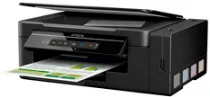
Epson Expression ET-2610: software e driver per Windows e macOS.
Sistemi operativi Microsoft Windows supportati
Windows 11
Windows 10 (32-bit e 64-bit)
Windows 8.1 (32-bit e 64-bit)
Windows 8 (32-bit e 64-bit)
Windows 7 (32-bit e 64-bit)
Windows Vista (32-bit e 64-bit)
Windows XP SP2 (32-bit e 64-bit)
Sistemi operativi supportati: Windows 10 32-bit, Windows 8.1 32-bit, Windows 8 32-bit, Windows 7 32-bit, Windows Vista 32-bit, Windows XP 32-bit
Sistemi operativi supportati: Windows 11, Windows 10 64-bit, Windows 8.1 64-bit, Windows 8 64-bit, Windows 7 64-bit, Windows Vista 64-bit, Windows XP 64-bit
Sistemi operativi supportati: Windows 11, Windows 10 32-bit e 64-bit, Windows 8.1 32-bit e 64-bit, Windows 8 32-bit e 64-bit, Windows 7 32-bit e 64-bit, Windows Vista 32-bit e 64-bit, Windows XP 32-bit e 64-bit
Sistemi operativi supportati: Windows 10 32-bit, Windows 8.1 32-bit, Windows 8 32-bit, Windows 7 32-bit, Windows Vista 32-bit, Windows XP 32-bit
Sistemi operativi supportati: Windows 11, Windows 10 64-bit, Windows 8.1 64-bit, Windows 8 64-bit, Windows 7 64-bit, Windows Vista 64-bit, Windows XP 64-bit
Sistemi operativi supportati: Windows 11, Windows 10 32-bit e 64-bit, Windows 8.1 32-bit e 64-bit, Windows 8 32-bit e 64-bit, Windows 7 32-bit e 64-bit, Windows Vista 32-bit e 64-bit, Windows XP 32-bit e 64-bit
Sistemi operativi macOS supportati
macOS Ventura 13
macOS Monterey 12
macOS Big Sur 11
macOS Catalina 10.15
macOS Mojave 10.14
macOS High Sierra 10.13
macOS Sierra 10.12
OS X El Capitan 10.11
OS X Yosemite 10.10
OS X Mavericks 10.9
OS X Mountain Lion 10.8
Mac OS X Lion 10.7
Mac OS X Snow Leopard 10.6
Sistemi operativi supportati: Mac OS X Snow Leopard 10.6, Mac OS X Lion 10.7, OS X Mountain Lion 10.8, OS X Mavericks 10.9, OS X Yosemite 10.10, OS X El Capitan 10.11, macOS Sierra 10.12, macOS High Sierra 10.13, macOS Mojave 10.14, macOS Catalina 10.15, macOS Big Sur 11, macOS Monterey 12, macOS Ventura 13
Sistemi operativi supportati: Mac OS X Snow Leopard 10.6, Mac OS X Lion 10.7, OS X Mountain Lion 10.8, OS X Mavericks 10.9, OS X Yosemite 10.10, OS X El Capitan 10.11, macOS Sierra 10.12, macOS High Sierra 10.13, macOS Mojave 10.14, macOS Catalina 10.15, macOS Big Sur 11, macOS Monterey 12, macOS Ventura 13
Specifiche di Epson Expression ET-2610
Epson Expression ET-2610 è una stampante versatile, adatta a soddisfare un'ampia gamma di esigenze e capace di offrire qualità e convenienza. Il sistema di serbatoi d'inchiostro ad alta capacità semplifica la stampa ed evita di dover sostituire frequentemente le cartucce. La configurazione è semplice e adatta a tutti: sia i principianti sia gli utenti più esperti possono trarne vantaggio. La stampante è adatta a diversi tipi di documenti e alla stampa di immagini. Per questo consiglio ET-2610 agli studenti e a chi lavora da casa: fa risparmiare tempo ed è pratica.
Uno dei principali vantaggi di ET-2610 è il costo dell'inchiostro. Questa stampante è progettata per ridurre il costo per stampa, un aspetto importante per chi deve stampare molte copie. In questo caso, i serbatoi ricaricabili permettono di risparmiare e ridurre gli sprechi rispetto all'acquisto di nuove cartucce. È comunque importante valutare il costo iniziale e considerare la spesa nel lungo periodo. Acquistare più inchiostro fin dall'inizio può costare di più, ma alla lunga consente di risparmiare e di ottenere risultati più economici.
Non occorre soffermarsi sull'impatto ambientale e sulla sostenibilità di ET-2610: rispetto ad altre stampanti nella stessa fascia di prezzo o in fasce simili, ha un impatto ambientale minore. Anche se non vanta la velocità di stampa più elevata, soddisfa le esigenze moderate di chi la usa a casa o per lo studio. È la scelta ideale per chi vuole risparmiare senza rinunciare alla qualità e alla praticità. Grazie alla sua facilità d'uso, è adatta a diverse esigenze iniziali.