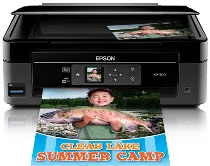
Driver Epson Expression Home XP-300 Printer Software and per Windows e macOS.
Sistemi operativi Microsoft Windows supportati
Windows 11
Windows 10 (32-bit e 64-bit)
Windows 8.1 (32-bit e 64-bit)
Windows 8 (32-bit e 64-bit)
Windows 7 (32-bit e 64-bit)
Windows Vista (32-bit e 64-bit)
Windows XP (32-bit e 64-bit)
Sistemi operativi supportati: Windows 11, Windows 10 32-bit e 64-bit, Windows 8.1 32-bit e 64-bit, Windows 8 32-bit e 64-bit
Questo programma di installazione del pacchetto driver include i seguenti elementi:
- Driver stampante
- Driver scanner e programma di utilità EPSON Scan
- Epson Event Manager
- Epson Software Updater
- Network Installer
Sistemi operativi supportati: Windows 7 32-bit e 64-bit, Windows Vista 32-bit e 64-bit, Windows XP 32-bit e 64-bit
Questo programma di installazione del pacchetto driver include i seguenti elementi:
- Driver stampante
- Driver scanner e programma di utilità EPSON Scan
- Epson Event Manager
- Epson Software Updater
- Network Installer
Sistemi operativi supportati: Windows 10 32-bit, Windows 8.1 32-bit, Windows 8 32-bit
Sistemi operativi supportati: Windows 10 64-bit, Windows 8.1 64-bit, Windows 8 64-bit
Sistemi operativi supportati: Windows 7 32-bit, Windows Vista 32-bit, Windows XP 32-bit
Sistemi operativi supportati: Windows 7 64-bit, Windows Vista 64-bit, Windows XP 64-bit
Sistemi operativi supportati: Windows 11, Windows 10 32-bit e 64-bit, Windows 8.1 32-bit e 64-bit, Windows 8 32-bit e 64-bit, Windows 7 32-bit e 64-bit, Windows Vista 32-bit e 64-bit, Windows XP 32-bit e 64-bit
Sistemi operativi supportati: Windows 10 32-bit, Windows 8.1 32-bit, Windows 8 32-bit, Windows 7 32-bit, Windows Vista 32-bit, Windows XP 32-bit
Sistemi operativi supportati: Windows 11, Windows 10 64-bit, Windows 8.1 64-bit, Windows 8 64-bit, Windows 7 64-bit, Windows Vista 64-bit, Windows XP 64-bit
Sistemi operativi supportati: Windows 11, Windows 10 32-bit e 64-bit, Windows 8.1 32-bit e 64-bit, Windows 8 32-bit e 64-bit, Windows 7 32-bit e 64-bit, Windows Vista 32-bit e 64-bit, Windows XP 32-bit e 64-bit
Sistemi operativi macOS supportati
macOS Ventura 13
macOS Monterey 12
macOS Big Sur 11
macOS Catalina 10.15
macOS Mojave 10.14
macOS High Sierra 10.13
macOS Sierra 10.12
OS X El Capitan 10.11
OS X Yosemite 10.10
OS X Mavericks 10.9
OS X Mountain Lion 10.8
Mac OS X Lion 10.7
Mac OS X Snow Leopard 10.6
Mac OS X Leopard 10.5
Sistemi operativi supportati: Mac OS X Snow Leopard 10.6, Mac OS X Lion 10.7, OS X Mountain Lion 10.8, OS X Mavericks 10.9, OS X Yosemite 10.10, OS X El Capitan 10.11, macOS Sierra 10.12, macOS High Sierra 10.13, macOS Mojave 10.14, macOS Catalina 10.15, macOS Big Sur 11, macOS Monterey 12, macOS Ventura 13
Sistemi operativi supportati: Mac OS X Leopard 10.5, Mac OS X Snow Leopard 10.6, Mac OS X Lion 10.7, OS X Mountain Lion 10.8, OS X Mavericks 10.9, OS X Yosemite 10.10, OS X El Capitan 10.11, macOS Sierra 10.12, macOS High Sierra 10.13, macOS Mojave 10.14
Sistemi operativi supportati: Mac OS X Leopard 10.5, Mac OS X Snow Leopard 10.6, Mac OS X Lion 10.7, OS X Mountain Lion 10.8, OS X Mavericks 10.9, OS X Yosemite 10.10, OS X El Capitan 10.11, macOS Sierra 10.12, macOS High Sierra 10.13, macOS Mojave 10.14, macOS Catalina 10.15, macOS Big Sur 11, macOS Monterey 12, macOS Ventura 13
Sistemi operativi supportati: Mac OS X Snow Leopard 10.6, Mac OS X Lion 10.7, OS X Mountain Lion 10.8, OS X Mavericks 10.9, OS X Yosemite 10.10, OS X El Capitan 10.11, macOS Sierra 10.12, macOS High Sierra 10.13, macOS Mojave 10.14, macOS Catalina 10.15, macOS Big Sur 11, macOS Monterey 12, macOS Ventura 13
Specifiche di Epson Expression Home XP-300
La piccola Epson XP-300 è una stampante multifunzione. Occupa pochissimo spazio e soddisfa le esigenze di stampa essenziali della vita quotidiana. È facile da installare ed è adatta a chi non ha molta dimestichezza con la tecnologia. Grazie alla connettività wireless, consente di stampare facilmente. L’unica cosa che non puoi fare è stampare da laptop o tablet senza collegarli tramite cavo.
La XP-300 offre una qualità di stampa piuttosto buona. È più che adeguata per l’uso quotidiano e per quasi tutto ciò che vuoi stampare a casa, comprese ricette e articoli. Non è però adatta ai documenti ufficiali che richiedono un testo molto nitido. La qualità delle stampe a colori e delle foto occasionali è accettabile, ma non aspettarti risultati paragonabili a quelli di stampanti fotografiche più costose. La velocità di stampa è adeguata per chi stampa solo ogni tanto. Se invece devi stampare molte pagine in poco tempo o hai bisogno di una stampa veloce, ci sono opzioni migliori.
Il costo complessivo di questa stampante risente delle spese ricorrenti, dovute alle costose cartucce d’inchiostro. La Epson XP-300 utilizza quattro cartucce separate per i diversi colori, e le spese possono accumularsi, soprattutto se stampi molto. Non supporta funzioni Wi-Fi Direct, come la stampa diretta da un telefono cellulare; questo limite potrebbe deludere chi usa intensamente lo smartphone. La Epson XP-300 è pensata per chi deve stampare documenti con facilità, preferisce la semplicità e desidera una connessione wireless. Non è adatta alla stampa di grandi volumi né è una stampante fotografica di fascia alta. Come stampante economica ed essenziale per la casa, però, è una scelta accettabile.