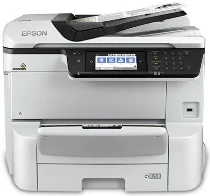
Driver Epson WorkForce Pro WF-C8690 printer Software and per Windows e macOS.
Sistemi operativi Microsoft Windows supportati
Windows 11
Windows 10 (32-bit e 64-bit)
Windows 8.1 (32-bit e 64-bit)
Windows 8 (32-bit e 64-bit)
Windows 7 (32-bit e 64-bit)
Windows Vista (32-bit e 64-bit)
Windows XP (32-bit e 64-bit)
Sistemi operativi supportati: Windows 11, Windows 10 32-bit e 64-bit, Windows 8.1 32-bit e 64-bit, Windows 8 32-bit e 64-bit, Windows 7 32-bit e 64-bit, Windows Vista 32-bit e 64-bit
Questo programma di installazione del pacchetto driver include i seguenti elementi:
- Driver stampante
- Driver scanner e programma di utilità Epson Scan 2
- Document Capture Pro
- Epson FAX Utility
- Epson Scan 2 OCR Component
- Epson Software Updater
Sistemi operativi supportati: Windows XP 32-bit e 64-bit
Questo programma di installazione del pacchetto driver include i seguenti elementi:
- Driver stampante
- Driver scanner e programma di utilità Epson Scan 2
- Document Capture Pro
- Epson FAX Utility
- Epson Scan 2 OCR Component
- Epson Software Updater
Sistemi operativi supportati: Windows 10 32-bit, Windows 8.1 32-bit, Windows 8 32-bit, Windows 7 32-bit, Windows Vista 32-bit, Windows XP 32-bit
Sistemi operativi supportati: Windows 11, Windows 10 64-bit, Windows 8.1 64-bit, Windows 8 64-bit, Windows 7 64-bit, Windows Vista 64-bit, Windows XP 64-bit
Sistemi operativi supportati: Windows 10 32-bit, Windows 8.1 32-bit, Windows 8 32-bit, Windows 7 32-bit, Windows Vista 32-bit, Windows XP 32-bit
Sistemi operativi supportati: Windows 11, Windows 10 64-bit, Windows 8.1 64-bit, Windows 8 64-bit, Windows 7 64-bit, Windows Vista 64-bit, Windows XP 64-bit
Sistemi operativi supportati: Windows 11, Windows 10 32-bit e 64-bit, Windows 8.1 32-bit e 64-bit, Windows 8 32-bit e 64-bit, Windows 7 32-bit e 64-bit, Windows Vista 32-bit e 64-bit, Windows XP 32-bit e 64-bit
Sistemi operativi supportati: Windows 10 32-bit, Windows 8.1 32-bit, Windows 8 32-bit, Windows 7 32-bit, Windows Vista 32-bit, Windows XP 32-bit
Sistemi operativi supportati: Windows 11, Windows 10 64-bit, Windows 8.1 64-bit, Windows 8 64-bit, Windows 7 64-bit, Windows Vista 64-bit, Windows XP 64-bit
Sistemi operativi supportati: Windows 11, Windows 10 64-bit, Windows 8.1 64-bit, Windows 8 64-bit, Windows 7 64-bit, Windows Vista 64-bit, Windows XP 64-bit
Sistemi operativi supportati: Windows 10 32-bit, Windows 8.1 32-bit, Windows 8 32-bit, Windows 7 32-bit, Windows Vista 32-bit, Windows XP 32-bit
Sistemi operativi supportati: Windows 11, Windows 10 64-bit, Windows 8.1 64-bit, Windows 8 64-bit, Windows 7 64-bit, Windows Vista 64-bit, Windows XP 64-bit
Sistemi operativi supportati: Windows 10 32-bit, Windows 8.1 32-bit, Windows 8 32-bit, Windows 7 32-bit, Windows Vista 32-bit, Windows XP 32-bit
Sistemi operativi supportati: Windows 10 64-bit, Windows 8.1 64-bit, Windows 8 64-bit, Windows 7 64-bit, Windows Vista 64-bit, Windows XP 64-bit
Sistemi operativi supportati: Windows 10 32-bit, Windows 8.1 32-bit, Windows 8 32-bit, Windows 7 32-bit, Windows Vista 32-bit, Windows XP 32-bit
Sistemi operativi supportati: Windows 10 64-bit, Windows 8.1 64-bit, Windows 8 64-bit, Windows 7 64-bit, Windows Vista 64-bit, Windows XP 64-bit
Sistemi operativi macOS supportati
macOS Ventura 13
macOS Monterey 12
macOS Big Sur 11
macOS Catalina 10.15
macOS Mojave 10.14
macOS High Sierra 10.13
macOS Sierra 10.12
OS X El Capitan 10.11
OS X Yosemite 10.10
OS X Mavericks 10.9
OS X Mountain Lion 10.8
Mac OS X Lion 10.7
Mac OS X Snow Leopard 10.6
Sistemi operativi supportati: macOS Catalina 10.15, macOS Big Sur 11, macOS Monterey 12, macOS Ventura 13
Questo programma di installazione del pacchetto driver include i seguenti elementi:
- Driver stampante
- Driver scanner e programma di utilità Epson Scan 2
- Document Capture
- Epson FAX Utility
- Epson Software Updater
Sistemi operativi supportati: Mac OS X Lion 10.7, OS X Mountain Lion 10.8, OS X Mavericks 10.9, OS X Yosemite 10.10, OS X El Capitan 10.11, macOS Sierra 10.12, macOS High Sierra 10.13, macOS Mojave 10.14
Questo programma di installazione del pacchetto driver include i seguenti elementi:
- Driver stampante
- Driver scanner e programma di utilità Epson Scan 2
- Document Capture
- Epson FAX Utility
- Epson Software Updater
Sistemi operativi supportati: Mac OS X Snow Leopard 10.6, Mac OS X Lion 10.7, OS X Mountain Lion 10.8, OS X Mavericks 10.9, OS X Yosemite 10.10, OS X El Capitan 10.11, macOS Sierra 10.12, macOS High Sierra 10.13, macOS Mojave 10.14, macOS Catalina 10.15, macOS Big Sur 11, macOS Monterey 12, macOS Ventura 13
Sistemi operativi supportati: Mac OS X Snow Leopard 10.6, Mac OS X Lion 10.7, OS X Mountain Lion 10.8, OS X Mavericks 10.9, OS X Yosemite 10.10, OS X El Capitan 10.11, macOS Sierra 10.12, macOS High Sierra 10.13, macOS Mojave 10.14, macOS Catalina 10.15, macOS Big Sur 11, macOS Monterey 12, macOS Ventura 13
Sistemi operativi supportati: Mac OS X Snow Leopard 10.6, Mac OS X Lion 10.7, OS X Mountain Lion 10.8, OS X Mavericks 10.9, OS X Yosemite 10.10, OS X El Capitan 10.11, macOS Sierra 10.12, macOS High Sierra 10.13, macOS Mojave 10.14, macOS Catalina 10.15, macOS Big Sur 11, macOS Monterey 12, macOS Ventura 13
Sistemi operativi supportati: Mac OS X Snow Leopard 10.6, Mac OS X Lion 10.7, OS X Mountain Lion 10.8, OS X Mavericks 10.9, OS X Yosemite 10.10, OS X El Capitan 10.11, macOS Sierra 10.12, macOS High Sierra 10.13, macOS Mojave 10.14, macOS Catalina 10.15, macOS Big Sur 11, macOS Monterey 12
Specifiche di Epson WorkForce Pro WF-C8690
Se hai bisogno di stampare grandi volumi ogni giorno, la multifunzione A3 Epson WorkForce Pro WF-C8690 è una soluzione completa. La WF-C8690 gestisce stampe fino al formato A3 da 13 x 19 pollici e può stampare facilmente grandi fogli di calcolo e grafici dall'aspetto professionale. Inoltre, PrecisionCore consente alla stampante di realizzare stampe nitide e di produrre copie abbastanza rapidamente da soddisfare le esigenze degli ambienti di lavoro odierni, caratterizzati da carichi elevati.
La WF-C8690 è progettata per essere facile da usare. È dotata di un ampio pannello touchscreen, simile a quello dei telefoni cellulari, e puoi configurarla rapidamente grazie a un'interfaccia utente intuitiva. A completare le sue caratteristiche ci sono la stampa fronte-retro automatica, la scansione, la copia e l'invio di fax, funzioni che possono aumentare notevolmente la produttività in ufficio. Inoltre, grazie alla capacità massima di 1,830 fogli, è necessario ricaricare la carta meno spesso. Le opzioni di connettività, tra cui Wi-Fi Direct, NFC ed Ethernet, ne aumentano ulteriormente la flessibilità e consentono una facile integrazione nella maggior parte degli ambienti di lavoro.
In termini di convenienza, il costo per pagina inferiore distingue Epson dalle più costose stampanti laser a colori e rende questo modello ancora più conveniente per la stampa a colori. Inoltre, le cartucce di lunga durata e ad alta capacità consentono di stampare parecchie pagine prima di doverle sostituire. La stampante riduce la necessità di manutenzione e i tempi di inattività tra un lavoro di stampa e l'altro. Perciò, gli uffici che desiderano ridurre i costi per pagina senza rinunciare a qualità ed efficienza possono trovare nella WF-C8690 una soluzione adatta. Queste aziende possono sfruttarne le capacità multifunzione in formato A3 tenendo conto dei costi.