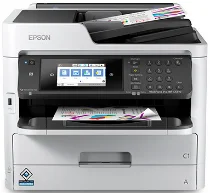
Epson WorkForce Pro Software e driver per la stampante WF-C5710 Windows e macOS.
Sistemi operativi Microsoft Windows supportati
Windows 11
Windows 10 (32/64-bit)
Windows 8.1 (32/64-bit)
Windows 8 (32/64-bit)
Windows 7 (32 /64-bit)
Windows Vista (32 /64-bit)
Windows XP (32/64-bit)
Sistemi operativi supportati: Windows 11, Windows 10 32-bit e 64-bit, Windows 8.1 32-bit e 64-bit, Windows 8 32-bit e 64-bit, Windows 7 32-bit e 64-bit, Windows Vista 32-bit e 64-bit
Il programma di installazione del pacchetto driver contiene i seguenti elementi:
- Driver della stampante
- Driver dello scanner e Epson Scan 2 Utilità
- Utilità Epson FAX
- Document Capture Pro
- Componente OCR EPSON Scan 2
- Aggiornamento software Epson
Sistemi operativi supportati: Windows XP 32-bit and 64-bit
Il programma di installazione del pacchetto driver contiene i seguenti elementi:
- Driver della stampante
- Driver dello scanner e Epson Scan 2 Utilità
- Utilità Epson FAX
- Document Capture Pro
- Epson Scan 2 Componente OCR
- Aggiornamento software Epson
Sistemi operativi supportati: Windows 10 32-bit, Windows 8.1 32-bit, Windows 8 32-bit, Windows 7 32-bit, Windows Vista 32-bit, Windows XP 32-bit
Sistemi operativi supportati: Windows 11, Windows 10 64-bit, Windows 8.1 64-bit, Windows 8 64-bit, Windows 7 64-bit, Windows Vista 64-bit, Windows XP 64-bit
Sistemi operativi supportati: Windows 10 32-bit, Windows 8.1 32-bit, Windows 8 32-bit, Windows 7 32-bit, Windows Vista 32-bit, Windows XP 32-bit
Sistemi operativi supportati: Windows 10 64-bit, Windows 8.1 64-bit, Windows 8 64-bit, Windows 7 64-bit, Windows Vista 64-bit, Windows XP 64-bit
Sistemi operativi supportati: Windows 11, Windows 10 32-bit and 64-bit, Windows 8.1 32-bit and 64-bit, Windows 8 32-bit and 64-bit, Windows 7 32-bit and 64-bit, Windows Vista 32-bit and 64-bit, Windows XP 32-bit and 64-bit
Sistemi operativi supportati: Windows 10 32-bit, Windows 8.1 32-bit, Windows 8 32-bit, Windows 7 32-bit, Windows Vista 32-bit, Windows XP 32-bit
Sistemi operativi supportati: Windows 11, Windows 10 64-bit, Windows 8.1 64-bit, Windows 8 64-bit, Windows 7 64-bit, Windows Vista 64-bit, Windows XP 64-bit
Sistemi operativi supportati: Windows 10 32-bit, Windows 8.1 32-bit, Windows 8 32-bit, Windows 7 32-bit, Windows Vista 32-bit, Windows XP 32-bit
Sistemi operativi supportati: Windows 11, Windows 10 64-bit, Windows 8.1 64-bit, Windows 8 64-bit, Windows 7 64-bit, Windows Vista 64-bit, Windows XP 64-bit
Sistemi operativi supportati: Windows 11, Windows 10 64-bit, Windows 8.1 64-bit, Windows 8 64-bit, Windows 7 64-bit, Windows Vista 64-bit, Windows XP 64-bit
Sistemi operativi macOS supportati
macOS Ventura 13
macOS Monterey 12
macOS Big Sur 11
macOS Catalina 10.15
macOS Mojave 10.14
macOS High Sierra 10.13
macOS Sierra 10.12
OS X El Capitan 10.11
OS X Yosemite 10.10
OS X Mavericks 10.9
OS X Mountain Lion 10.8
Mac OS X Lion 10.7
Mac OS X Snow Leopard 10.6
Sistemi operativi supportati: macOS Catalina 10.15, macOS Big Sur 11, macOS Monterey 12, macOS Ventura 13
Il programma di installazione del pacchetto driver contiene i seguenti elementi:
- Driver della stampante
- Driver dello scanner e Epson Scan 2 Utilità
- Utilità Epson FAX
- Cattura del documento
- Epson Scan 2 Componente OCR
- Aggiornamento software Epson
Sistemi operativi supportati: Mac OS X Lion 10.7, OS X Mountain Lion 10.8, OS X Mavericks 10.9, OS X Yosemite 10.10, OS X El Capitan 10.11, macOS Sierra 10.12, macOS High Sierra 10.13, macOS Mojave 10.14
Il programma di installazione del pacchetto driver contiene i seguenti elementi:
- Driver della stampante
- Driver dello scanner e Epson Scan 2 Utilità
- Utilità Epson FAX
- Cattura del documento
- Epson Scan 2 Componente OCR
- Aggiornamento software Epson
Sistemi operativi supportati: Mac OS X Snow Leopard 10.6, Mac OS X Lion 10.7, OS X Mountain Lion 10.8, OS X Mavericks 10.9, OS X Yosemite 10.10, OS X El Capitan 10.11, macOS Sierra 10.12, macOS High Sierra 10.13, macOS Mojave 10.14, macOS Catalina 10.15, macOS Big Sur 11, macOS Monterey 12, macOS Ventura 13
Sistemi operativi supportati: Mac OS X Snow Leopard 10.6, Mac OS X Lion 10.7, OS X Mountain Lion 10.8, OS X Mavericks 10.9, OS X Yosemite 10.10, OS X El Capitan 10.11, macOS Sierra 10.12, macOS High Sierra 10.13, macOS Mojave 10.14, macOS Catalina 10.15, macOS Big Sur 11, macOS Monterey 12, macOS Ventura 13
Sistemi operativi supportati: Mac OS X Snow Leopard 10.6, Mac OS X Lion 10.7, OS X Mountain Lion 10.8, OS X Mavericks 10.9, OS X Yosemite 10.10, OS X El Capitan 10.11, macOS Sierra 10.12, macOS High Sierra 10.13, macOS Mojave 10.14, macOS Catalina 10.15, macOS Big Sur 11, macOS Monterey 12, macOS Ventura 13
Epson WorkForce Pro Specifiche del modello WF-C5710
L'Epson WorkForce La PRO WF-C5710 è una stampante a getto d'inchiostro multifunzione progettata per le piccole imprese. Si distingue per il notevole risparmio di inchiostro, a differenza delle tipiche stampanti ad alto consumo d'inchiostro utilizzate dalla maggior parte delle aziende. Tuttavia, qualsiasi stampante da 40,000 dollari potrebbe stampare 24 pagine al minuto, tutte in bianco e nero, quindi cosa c'è di speciale? La stampa a colori raggiunge le 15 pagine al minuto, un po' lenta rispetto alla media del settore. La nitidezza e la resa dei colori sono comunque buone.
Il WF-C5710 è progettato per essere semplice ed efficiente per l'ufficio. Dispone di un vassoio carta da 250 fogli e di un'alimentazione posteriore appositamente progettata per l'utilizzo di diversi tipi di carta. Ciò significa che puoi lavorare senza dover riempire spesso il cassetto della carta. È inoltre presente un alimentatore automatico di documenti da 50 fogli che consente la scansione, la copia e l'invio di fax fronte-retro. È molto comodo per gestire molti documenti. Il touch screen a colori da 4.3 pollici è comodo per gli sportelli bancari. Per la connettività, hai le opzioni standard come Wi-Fi, Ethernet e NFC. Significa che puoi stampare da computer, telefoni e tablet senza alcun problema.
Se si considera insieme il costo del WF-C5710, è economico. La stampante in sé non è costosa; nemmeno l'inchiostro. Pertanto anche il prezzo per foglio stampato è basso. È fantastico per un ufficio, molti di questi posti producono regolarmente molte stampe e vogliono risparmiare denaro a lungo termine. Questa stampante si distingue bene dalle altre della sua categoria, bilanciando bene caratteristiche, funzionalità e decenza. È una scelta solida per le aziende che vogliono spendere meno per una normale stampante. E ne hanno bisogno di affidabilità ogni giorno.